

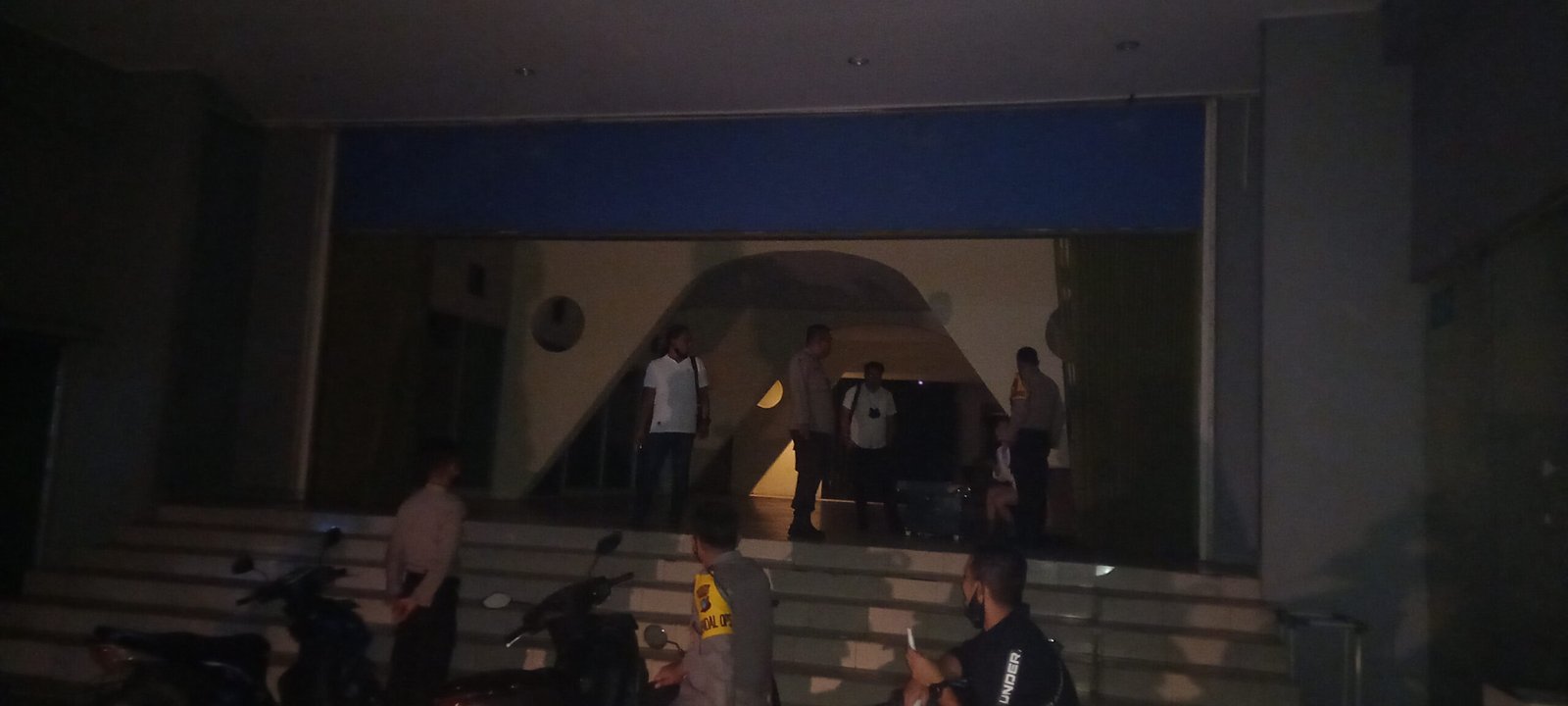
PN.COM-PANGKALPINANG,Polres Pangkalpinang melakukan pengawasan diberapa tempat berkumpul masyarakat. Tidak hanya Alun-alun taman merdeka tim juga menyelusuri tempat hiburan malam yang dikabarkan akan buka dimalam pergantian tahun 2022
Kabag Ops Polres Pangkalpinang Akp. Andri Eko Setiawan saat dijumpai di salah satu tempat hiburan malam Global mengatakan hari dari pantauan petugas dilapangan tidak ada terjadi kerumunan warga dalam merayakan malam pengantian malam tahun baru 2022
“Tadi kami dapat kabar ada sekelompok orang berkumpul di Global, Tim dari Polres Pangkalpinang mendatangi dan memberikan arahan kepada pengelola Global. Kita pastikan tidak ada THM yang buka dimalam pengantian tahun baru 2022,” ungkapnya. Sabtu,(1/1)
Tidak hanya itu, Akp. Andri Eko Setiawan juga menyebutkan saat ini warga kota Pangkalpinang sudah mulai sadar dan peduli dengan kesehatan mereka dan pencapaian vaksinasi pun sudah lebih dari 80 % ( Persen)
“Alhamdulillah, tidak ada keramaian yang terjadi saat jelang malam pengantian tahun baru 2022 dikota Pangkalpinang,”tegasnya
Akp. Andri juga menambahkan, sesuai surat edaran walikota Pangkalpinang yang menutup Alun-alun dan tempat keramaian serta pembatasan jam operasional cafe, restoran, hotel dan THM dan sudah kami solisasikan ke masyarakat.
“Surat edaran Walikota untuk pengantian malam tahun baru 2022 tidak ada keramaian, besok sudah kembali normal seperti biasanya dengan mematuhi protokol kesehatan,”ujarnya













image source betswap app
rufus download Rufus remains a small, free, open source utility designed to make bootable USB drives. It allows you to prepare a USB flash drive that can set up an operating system, run diagnostic tools, or boot into a recovery environment. The program works without installation and can be launched immediately after downloading.
The main purpose of Rufus is helping users to create bootable USB media from ISO images quickly and reliably. This allows users to install or run operating systems directly from a USB flash drive without the need for DVDs. The tool supports a broad selection of operating systems and service utilities, which makes it useful for both regular users and system administrators.
Rufus works on computers with Microsoft Windows, starting from Windows 7. Both 32-bit and 64-bit versions are supported, and there is also a version available for ARM64 architecture.
The software allows users to create bootable USB drives from many different ISO images. It can be used to prepare a USB drive for installing Windows 11, Windows 10, Windows 8.1, or Windows 7, as well as various Linux distributions. Rufus also works with DOS systems and other recovery or maintenance tools commonly used for troubleshooting computers.
One of the integrated features of Rufus is the ability to download official Windows ISO images directly from Microsoft servers. This allows users to obtain original installation images for Windows 8.1, Windows 10, and Windows 11 without searching for them on third-party websites.
In addition to creating bootable drives, Rufus can format USB devices. It supports several file systems including FAT32, NTFS, exFAT, UDF, and ReFS. This flexibility allows the USB drive to be prepared for different use cases and compatibility requirements.
Rufus supports both legacy BIOS systems and modern UEFI environments. Because of this, bootable drives created with Rufus can work on older computers as well as newer systems that use UEFI and Secure Boot.
Another feature included in Rufus is Windows To Go support. This option allows users to run a full Windows environment directly from a USB drive. It can be useful for testing systems, performing maintenance, or working on multiple computers without installing Windows on the internal drive.
Rufus also provides the option to bypass certain Windows 11 installation requirements. When creating an installation USB, the program can disable checks for TPM 2.0, Secure Boot, and minimum RAM requirements. This makes it possible to install Windows 11 on computers that would otherwise not meet the official hardware requirements.
One of the reasons Rufus has become popular is its speed and simplicity. The program is extremely small, about 1.9 MB in size, and runs as a portable application without installation. It is distributed under the GPL v3 open-source license, supports more than 70 languages, and contains no advertisements, bundled software, or tracking components.
Rufus works with a large number of ISO images. These include multiple versions of Windows, Windows Server editions, FreeDOS, and various system tools such as GParted, Hiren’s Boot CD, Parted Magic, and Clonezilla. Because of this wide compatibility, the program can be used not only for installing operating systems but also for disk management, data recovery, and system maintenance tasks.
To use Rufus, a computer running Windows 7 or later and a USB flash drive are required. The program does not need to be installed. Users simply download the executable file, run it, select the ISO image they want to use, and create a bootable USB drive. Due to its simplicity, speed, and reliability, Rufus remains one of the most widely used tools for creating bootable USB drives.
explore ravencrest site – Clear sections and intuitive layout make reading effortless.
simple shop link – Sections are clear, making content easy to browse.
quantumforge – Pages loaded fast, images appeared sharp, and formatting stayed consistent.
Sprawdz poradnik jaka kamera fpv na poczatek, jesli szukasz najlepszych wskazowek przy wyborze kamery FPV na start.
Kamery z wysoka czuloscia matrycy lepiej radza sobie przy niedostatecznym oswietleniu.
dataforge – Appreciate the typography choices; comfortable spacing improved my reading experience.
Stone Emporium – Well-laid out pages make navigation simple and clear.
chz try – chiliz coin anlaşmaları, chiliz anlık
mostbet вход mostbet94063.help
I value the robust security and responsive team. This site is reliable.
Treasure Stone – Navigation feels intuitive and the design is clear.
quantumforge – Color palette felt calming, nothing distracting, just focused, thoughtful design.
мостбет вход http://mostbet82043.help
MeadowHub – Visitors sense friendliness, originality, and a modern vibe.
flx coin – clz coin, flx coin
explore Cloud Harbor – The branding popped up and has a memorable, strong vibe.
melbet бк регистрация https://melbet47086.help/
go to this page – The site structure feels organized and logical.
recommended you read pass app
Stone Picks – Just discovered this page, everything is clear and easy to digest.
MintCrestShop – Branding feels approachable, easygoing, and simple to browse.
Sprawdz poradnik czy warto zaczac od analog fpv, jesli szukasz najlepszych wskazowek przy wyborze kamery FPV na start.
Wysoki bitrate i efektywna kompresja sa wazne przy rejestracji szybkich manewrow.
dataforge – Loved the layout today; clean, simple, and genuinely user-friendly overall.
explore Clover Crest Marketplace – The name popped up and carries a warm, inviting energy.
скачать русский мелбет на андроид
Установить приложение Melbet: APK, iOS и компьютер
Приложение Melbet включает ставки и казино в одном интерфейсе. Доступны live-ставки, слоты, онлайн-трансляции, статистика и быстрые финансовые операции. Установка занимает 1–2 минуты.
Android (APK)
Загрузите APK с официального источника, запустите установщик и завершите установку. Если требуется включите доступ к установке сторонних приложений, затем авторизуйтесь.
iOS (iPhone)
Откройте App Store, найдите «Melbet», нажмите «Получить», после установки выполните вход.
ПК
Откройте официальный сайт, войдите в личный кабинет и создайте ярлык на рабочий стол. Веб-версия работает как полноценное приложение.
Функционал
Live-ставки с обновлением коэффициентов, игровой раздел с тысячами игр, прямые трансляции, аналитические данные, уведомления о матчах, регистрация за минуту и поддержка 24/7.
Бонусы
После загрузки доступны бонус на первый депозит, промокоды и бесплатные ставки. Правила начисления определяются регионом.
Безопасность
Скачивайте только с официального сайта, проверяйте домен, не сообщайте данные доступа третьим лицам и активируйте двухфакторную аутентификацию.
Установка занимает несколько минут, после чего открывается полный доступ Melbet.
melbet ставки и казино приложение http://melbet47086.help/
logicbyte – Pages loaded fast, images appeared sharp, and formatting stayed consistent.
dataforge – Overall, professional vibe here; trustworthy, polished, and pleasantly minimal throughout.
visit the vendor – Browsing here is smooth, and the layout looks clear.
мостбет ошибка входа мостбет ошибка входа
MintCrestNest – Branding communicates clarity, friendliness, and a smooth browsing style.
visit Clover Crest – Came across this marketplace and the branding feels warm and approachable.
mostbet войти mostbet94063.help
Emporium Treasures – Came across this page casually, content is clear and sections are easy to follow.
learn more here – Layout is tidy, making the site feel organized.
techcatalyst – Bookmarked this immediately, planning to revisit for updates and inspiration.
bytecore – Content reads clearly, helpful examples made concepts easy to grasp.
mostbet crash mostbet crash
mostbet install on ios http://mostbet53160.help
Honey Picks – Came across this site randomly, everything looks tidy and well organized.
mostbet sportsbook review mostbet sportsbook review
devbyte – Mobile version looks perfect; no glitches, fast scrolling, crisp text.
mostbet crash Кыргызстан mostbet crash Кыргызстан
как использовать бонус мостбет mostbet94063.help
Sprawdz poradnik jaka kamere fpv kupic, jesli szukasz najlepszych wskazowek przy wyborze kamery FPV na start.
Nie mozna pominac analizowania rozdzielczosci i typu matrycy przed podjeciem decyzji o kupnie.
мостбет lucky jet стратегия https://mostbet94063.help/
мелбет джалал-абад http://melbet47086.help/
willowpoint – Professional aesthetic ensures the brand is taken seriously but still inviting.
bitcore – Overall, professional vibe here; trustworthy, polished, and pleasantly minimal throughout.